I spent a full week watching nothing but free streaming apps. No Netflix. No Disney+. No HBO. Just the ad-supported stuff — Pluto TV, Tubi, The Roku Channel, and a few others — to see if you could actually survive on them without wanting to throw your remote through the TV.
The short answer: yes, but only if you know which ones match how you actually watch.
Free streaming has changed a lot since 2020. Back then, these apps felt like digital junk drawers — random movies you’d never heard of, chopped up with ads every four minutes. Now? The libraries are deeper, the ad loads are (slightly) more reasonable, and the interfaces don’t make me want to cry. But each free service has a very specific personality. Pick the wrong one for your habits and you’ll hate it inside of 20 minutes.
Here’s what I learned after 40+ hours of testing.
Tubi: The Movie Buff’s Secret Weapon

Tubi is owned by Fox, and it shows. The movie library is surprisingly deep — not just B-movies and direct-to-video horror, but actual films you’d want to watch. I found Kill Bill, The Terminator, Django Unchained, and a solid collection of indie stuff that isn’t on Netflix right now.
The interface is clean. You can browse by genre, mood, or collection (“Not on Netflix” is a real category they have). The ad load is lighter than Pluto — roughly 4 to 6 minutes per hour, which is tolerable if you’re watching a 90-minute movie.
The catch: Tubi’s live TV section is weak. They have some live channels, but it’s mostly news and niche stuff. If you want that “channel surfing” feeling where you land on a Friends marathon at 2 PM, Tubi won’t give it to you. Also, you only get one profile per account, so if your kid’s “Tubi Kids” recommendations start polluting your horror movie suggestions, you’re out of luck.
Best for: People who want to browse movies intentionally, not channel surf.
Pluto TV: Cable Nostalgia, But Make It Free
Pluto TV is owned by Paramount, and it operates like a cable box from 2006 — in a good way. You get hundreds of live, linear channels. MTV classics. A Star Trek channel that just plays old episodes 24/7. A Baywatch channel. A channel that only plays Unsolved Mysteries. It’s bizarre and comforting at the same time.
I put Pluto on in the background while I worked one afternoon, and I didn’t touch the remote for three hours. That’s the magic of it — zero decision fatigue. The human curation means someone actually programmed these channels, not an algorithm guessing what you want.
The catch: The ad load is heavy. We’re talking 10 to 12 minutes per hour, and the same three ads repeat until you memorize them.
You also can’t pause live channels, which feels insane in 2026. And the on-demand movie selection is thinner than Tubi’s — if you want to pick a specific film, Pluto is not your first stop.
Also, they made sign-in mandatory recently, which killed one of the main reasons people loved it (no account, no hassle).
Best for: Background viewing, nostalgia binges, and anyone who misses the old cable guide.
The Roku Channel: Great If You’re Already in the Ecosystem
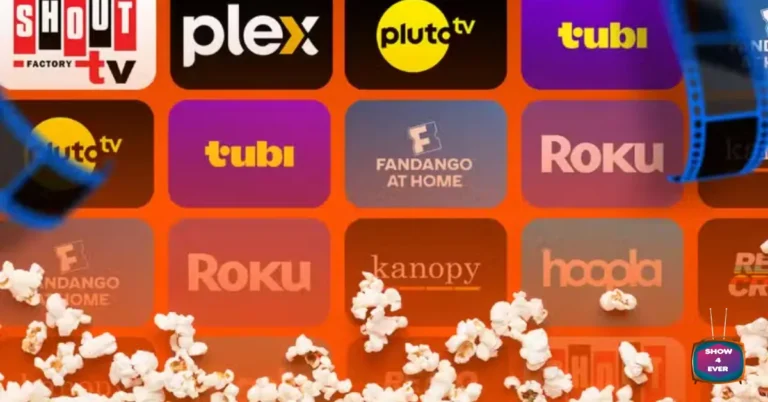
The Roku Channel has over 500 channels and a decent on-demand library. But let’s be honest — it works best if you own a Roku device or TV. On my Roku TV, it loads fast, the recommendations make sense, and it integrates with the universal search. On my phone? It feels like an afterthought.
The ad load is comparable to Tubi, and they have some exclusive Roku Originals that are… fine. Not appointment television, but perfectly watchable. The real value is the integration — if you use a Roku stick, this is your one-stop shop for free stuff without downloading six different apps.
Best for: Roku device owners who want one free app to rule them all.
Sling Freestream: The Hidden Gem Nobody Talks About
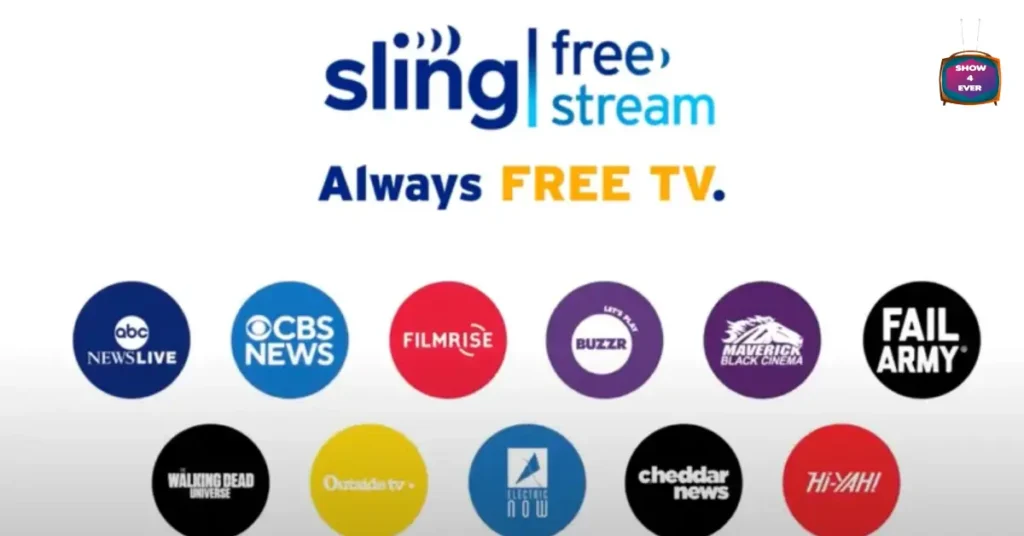
Sling TV’s free tier, called Freestream, has over 600 channels and a surprisingly robust on-demand library of 40,000+ titles. You get up to five profiles, which is rare for a free service, and they even include a free cloud DVR.
I found myself using Freestream more than I expected. The channel lineup includes some recognizable names (ABC News Live, AMC Presents), and the DVR means you can actually record something free and watch it later. That’s a feature Pluto and Tubi don’t offer.
The catch: The on-demand movie selection isn’t as deep as Tubi’s, and the app can feel cluttered with upsells for Sling’s paid plans.
Best for: Cord-cutters who want a DVR and multiple profiles without paying a dime.
The Honest Verdict: Can You Actually Replace Paid Streaming with Free?
Yes, but with caveats. Here’s my real-world breakdown:
Table
| If you want… | Use this free app |
|---|---|
| Specific movies on demand | Tubi |
| Background TV / channel surfing | Pluto TV |
| A clean experience on Roku hardware | The Roku Channel |
| DVR + multiple profiles | Sling Freestream |
I could survive on these four apps if I had to. I’d miss the prestige shows — no Severance, no The Bear, no White Lotus — but for casual viewing, news, sports highlights, and movie nights, free streaming in 2026 is genuinely usable. The ads are annoying, but they’re not cable-level annoying. Yet.
My advice: keep one paid service for the “must-see” shows, and let these free apps handle everything else. Your wallet will thank you.
Table of Contents
Share this content: